
Just Ask the Map
Not sure where to start? The new Map Explorer agent turns plain language questions into the right layers, filters, and settings, no manual setup required.

Introducing the Map Explorer Agent
NextMaps has a lot of layers. Expiry timelines, expenditure compliance, at-risk tenements, final-term prospecting licences, ground release zones, ownership age, exploration intensity. That is before you get to geology, geophysics, Minedex, and everything else sitting underneath.
For someone who knows what they are looking for, that depth is the point. For someone new to the platform, it can be a lot to navigate.
The Map Explorer agent is the answer to that second problem.
What it does
It is an AI assistant built directly into NextMaps with a thorough understanding of the platform. You describe what you want to see in plain language, and it figures out which layers and filters to apply to get you there.
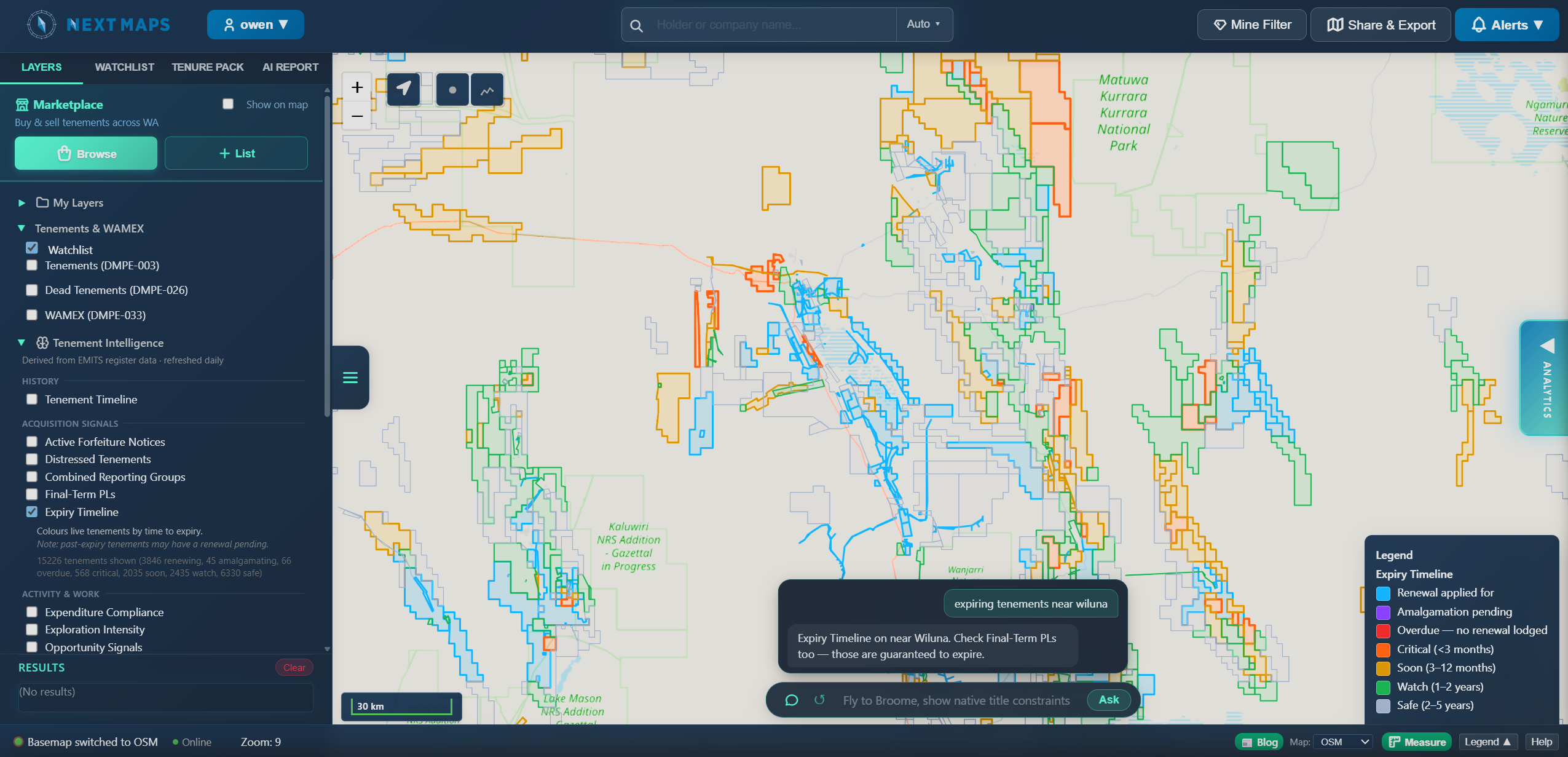
In the demo: "show me expiring tenements near Wiluna." The agent works through it, turns on the expiry timeline layer, centres on the area, and then suggests adding the final-term prospecting licence layer as a complement. Final-term PLs carry a harder expiry deadline than your average EL or ML, so if you are watching a specific area for opportunity, those are the ones to watch first.
From there you explore on your own. The agent gets you oriented, you take it from there.
Why it works this way
A lot of AI tools in this space try to query the raw data directly. The problem is the tenement dataset is genuinely complex, status codes, expenditure cycles, exemptions, partial surrenders, pending submissions and a straight database query without deep domain knowledge produces results that look right but are not. The Map Explorer takes a different approach. Instead of querying raw data, it works with NextMaps' pre-built, verified layers. Those layers already encode the domain logic correctly. The agent's job is to know which ones apply to your question and get you to them fast.
Who it is for
The obvious answer is new users. If you have just signed up and are staring at a map full of options, asking a question is a much easier entry point than clicking through every dropdown.
But experienced users will get use out of it too. If you know what you want but cannot remember which layer it lives in, or you just want to get there faster, it is quicker to ask than to do it manually.
How to use it
Open the Map Explorer from the toolbar. Type your question. The agent applies the relevant layers and settings, and explains what it has done. If you want to start fresh, hit the clear button to reset the context and ask something new.
Give it a try at nextmaps.com.au.
Track WA tenements and find ground to peg, sell or buy
NextMaps gives exploration companies and investors instant visibility over the full WA tenement landscape.
Get started →